What Is a Power Apps Code App? A Canvas Maker's Guide to the Architecture
What a Power Apps code app is, how it runs inside Power Apps, and how it differs from canvas, model-driven and PCF, explained for canvas makers.
Key takeaways
- A code app is your own web app (React, Vue or any other framework) that Power Apps hosts, signs users in to and connects to 1,500+ connectors.
- Your code runs in an iframe on a separate
powerplatformusercontent.comdomain. I downloaded the published app without signing in, so nothing secret belongs in it. - The app can't call any URL itself (
connect-src 'none'). Data goes through the Power Apps player and its connectors; admins open up more with the content security policy. - Every user needs Power Apps Premium (or pay-as-you-go, an App Pass or auto-claim), and an admin has to switch code apps on per environment.
- The CLI is now
pafrom npm. Thepac codecommands are marked for deprecation, but Microsoft's own template README still uses them. - Pick a code app for design, reuse and source control. Pick canvas for speed, hand-over to makers, offline and Power Apps for Windows.
For five years I've built canvas apps. Power Apps draws the app, I write Power Fx. That works, until I need a design the controls can't give me, a component I want to reuse across ten apps, or a real diff in source control.
Code apps turn it around: you build a normal web app in your own editor and Power Apps runs it, with sign-in, connectors and governance included. Coding agents write most of the code now, so the step from Power Fx to TypeScript is smaller than it looks. I'm learning them in public, in this series, and this first post is the map.
What a code app is
You bring
- A web appReact, Vue or any other single-page framework, in TypeScript or JavaScript
- Your own toolsAn editor, Git, npm and a coding agent if you want one
- Every line of the UILayout, components, state, styling: all yours to write and to maintain
Power Apps gives
- Sign-inMicrosoft Entra ID. No login code
- Data1,500+ connectors, Dataverse included, called from JavaScript
- Hosting and sharingPublish with one command, share like any other app
- GovernanceSharing limits, data policies, Conditional Access, quarantine
Microsoft's definition: code apps "let developers bring Power Apps capabilities into custom web apps built in a code-first IDE" (overview). You develop locally and run the same app in Power Platform. Any single-page app works; the docs name "React, Vue, and others".
What it is not: it's not a canvas app with some code in it, and it's not a PCF component. It's a whole app, and the whole app is yours. Code apps have been generally available since 5 February 2026.
Advantages and downsides
Why a code app
- Any designYour own components, your own CSS, any component library. Not limited to the controls in Studio.
- Real source controlFiles in Git: branches, pull requests, diffs. A coding agent can write most of it.
- Reusenpm packages and your own components, shared across apps.
- The platform for freeSign-in, 1,500+ connectors, sharing and governance without writing any of it.
- Local developmentHot reload in your editor, through the real player with real sign-in.
What it costs you
- A premium licence per userMicrosoft 365 alone doesn't cover it.
- You own the codenpm updates, security fixes and a build step are your job now.
- Platform gapsNo Power Apps for Windows, no SharePoint forms, no Power Platform Git integration. Offline isn't documented.
- Connectors onlyThe content security policy blocks everything else until an admin allows a domain.
- A public bundleAnyone with the URL can download your compiled app, so nothing secret belongs in it.
- Harder to hand overA maker can't open it in Studio. Whoever maintains it needs to read TypeScript.
The trade: speed and hand-over for control and engineering. The left column is why a developer wants one, the right column is why a maker should think twice.
What you need
Last verified: 6 October 2026, with these versions:
| Tool | Version |
|---|---|
| Node.js | 24.15.0 (the CLI needs 22 or newer) |
Power Apps CLI, @microsoft/power-apps-cli | 1.2.0 |
Client library, @microsoft/power-apps | 1.5.0 |
Vite plugin, @microsoft/power-apps-vite | 1.0.13 |
| Vite | 7.3.7 |
| Template | microsoft/PowerAppsCodeApps/templates/vite |
Besides the tools:
- An environment with code apps switched on. Off by default. An admin turns it on in the Power Platform admin center: Environments > your environment > Settings > Product > Features > Power Apps code apps > Enable code apps.
- A premium licence for your users: Power Apps Premium, pay-as-you-go, an App Pass or auto-claim. Microsoft 365 isn't enough.
- An editor, Git and a coding agent if you want one. I used Claude Code in the Claude desktop app.
Canvas, model-driven, PCF and code apps side by side
Microsoft has no page that compares all four, so this is mine, built from the individual docs. PCF is in it because people ask, but it's a different kind of thing: a control inside an app, not an app.
| Aspect | Canvas app | Model-driven app | PCF component | Code app |
|---|---|---|---|---|
| What it is | An app you design screen by screen | An app generated from tables, forms and views | A control inside a canvas or model-driven app | A web app you write and Power Apps hosts |
| Layout control | Control by control | Mostly the platform's | Inside the space the host gives it | Complete |
| Code | Power Fx | Configuration, little or none | TypeScript, HTML, CSS | TypeScript or JavaScript, any framework |
| Data | Dataverse and connectors | Dataverse only | Through the host app, or the Web API | Connectors, Dataverse included |
| Offline | Yes, on Dataverse, in Power Apps mobile | Yes, in Power Apps mobile | Follows the host app | Not documented |
| Runs in | Browser, Power Apps mobile, Power Apps for Windows | Browser, Power Apps mobile, Power Apps for Windows | Wherever the host app runs | Browser and phone. Not Power Apps for Windows |
| End-user licence | Microsoft 365 for standard connectors, premium for the rest | Power Apps licence | Standard, unless it calls external services itself | Power Apps Premium, pay-as-you-go, App Pass or auto-claim |
Sources: model-driven overview, PCF overview, canvas offline, Power Apps mobile, licensing overview, code apps overview. "Runs on a phone" for code apps is my own test, not a documented feature: the docs don't mention Power Apps mobile at all.
The pieces of a code app
Microsoft's architecture page names four components: the client library (the "Power Apps SDK"), the generated models and services, power.config.json and the Power Apps host. Here they are in a project, and at run time.
In your project
src/Your code. A normal Vite, React and TypeScript app.generated/Models and services the CLI writes for every data source you add. You call them, you don't edit them.vite.config.tsThe powerApps() plugin. The only Power Apps line in the template.power.config.jsonApp name, environment ID, app ID, connections. Written by pa app init, updated by pa app push. Keep it out of Git.dist/The build. pa app push uploads this folder.@microsoft/power-appsThe client library, also called the SDK. It talks to the player for you.When it runs
- The player signs you inapps.powerapps.com
The purple bar, Entra sign-in, and the error page if the app can't load.
- Your app loads in an iframepowerplatformusercontent.com
A separate domain serves your
index.html. It's public: anyone with the URL can download it. - Your code can't call outconnect-src 'none'
The content security policy blocks every
fetchfrom your code. No API, not even its own domain. - The client library asks the playerpostMessage
Every data request goes to the player over a message channel, with the user's sign-in.
- The player calls the connectorDataverse, SharePoint, SQL, ...
Data policies and connection consent apply here, like in a canvas app.
The CLI. pa is the npm-based Power Apps CLI, with six command groups: pa app (init, run, push, add data sources and flows, share), pa auth, pa connection, pa connector, pa solution and pa telemetry (reference). From an empty folder to a published app:
npx degit github:microsoft/PowerAppsCodeApps/templates/vite app
cd app
npm install
pa auth login
pa app init --environment-id <environment-id> --display-name "TEST_Equipment Loan"
pa app run
npm run build
pa app pushpower.config.json. pa app init writes it; your code never reads it. Mine, with the IDs taken out:
{
  "version": "1.0",
  "appId": null,
  "appDisplayName": "TEST_Equipment Loan",
  "region": "prod",
  "appType": "CodeApp",
  "environmentId": "<environment-id>",
  "description": "Sample app for the Code Apps, the Full Stack series",
  "buildPath": "./dist",
  "buildEntryPoint": "index.html",
  "localAppUrl": "http://localhost:3000",
  "logoPath": "Default",
  "connectionReferences": {},
  "databaseReferences": {}
}
appId stays null until the first pa app push, which also puts the app in a solution ("Adding the app to your preferred solution"). Every data source you add later lands in connectionReferences or databaseReferences, with a typed service in src/generated/.
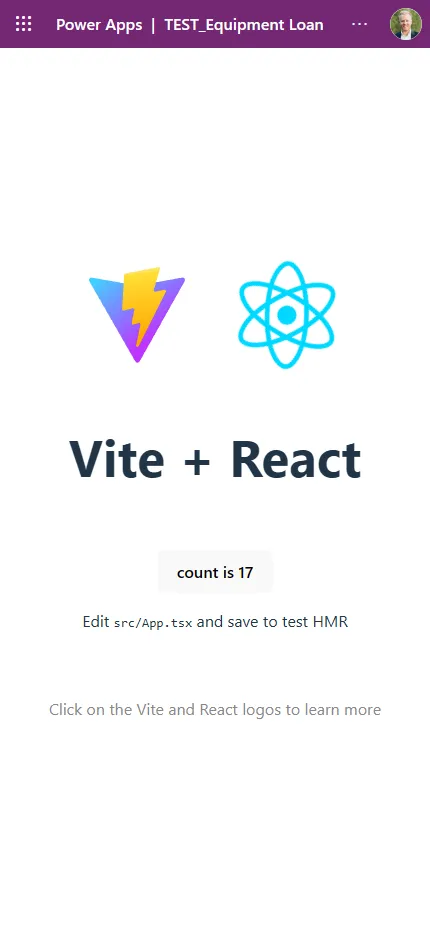
The Vite plugin. powerApps() in vite.config.ts is the only Power Apps line in the template. When you run pa app run, it prints a "Local Play" link on apps.powerapps.com that loads your code from localhost:5173: local development goes through the real player, with real sign-in, from the first minute. The published result opens on a phone like any other app:
Build it, step by step
I built everything in this post with Claude Code. You don't need my whole brief to try it. This is the path from nothing to a running app, with what you need at each step and where to get it. Step 5 is the only one where the agent does the work.
1. Get an environment with code apps on
Where: the Power Platform admin center, by an admin. Environments > your environment > Settings > Product > Features > Power Apps code apps > Enable code apps. Use a development environment, not production: the app you're about to make is a test.
While you're there, copy the Environment ID: select the environment and look in the Details section (find your environment ID). You need it in step 3 and step 5.
2. Install the tools on your machine
- Node.js LTS from nodejs.org (the CLI needs version 22 or newer) and Git from git-scm.com.
- The Power Apps CLI, from npm:
npm install --global @microsoft/power-apps-cli- A coding agent. I use Claude Code in the Claude desktop app; GitHub Copilot CLI works the same way for this. Any agent that can run commands in a folder will do.
3. Sign in once
pa auth loginA browser window opens; sign in with the account that has access to the environment from step 1. pa auth status shows who you're signed in as. The CLI keeps the sign-in, so the agent doesn't need your password and you don't give it one.
4. Make an empty folder and open the agent in it
Where: anywhere on your machine. The folder becomes the Git repository for the app, so pick a place you keep code. Start the agent in that folder.
5. Paste the prompt
Replace <environment-id> with the ID from step 1:
Prepare a Power Apps code app called "TEST_Equipment Loan" in this empty folder for environment <environment-id>. Prepare only: stop before `pa app push` and wait for my OK.

Rules:
- Use the current Microsoft Learn docs for code apps (learn.microsoft.com/power-apps/developer/code-apps) and the npm Power Apps CLI (`pa`). Don't use `pac code`. I'm already signed in with `pa auth login`.
- Start from Microsoft's template: `npx degit github:microsoft/PowerAppsCodeApps/templates/vite .` then `git init`.
- Run `pa app init` with the environment ID and the display name, then `npm install` (init adds a dev dependency).
- Replace the template's demo screen with one screen: a list of equipment (laptop, camera, test phone) with a "Request loan" button per item. No data source yet, keep the data in a local array.
- Keep `power.config.json` out of Git and commit a `power.config.example.json` with placeholders instead.
- Run it locally with `pa app run` in the background and give me the Local Play link.
I ran the first version of this prompt in an empty folder on my machine, with Claude Code. It took the agent 12 commands: it read the quickstart, pulled the template, ran pa app init, rewrote src/App.tsx into an equipment list with three items and a "Request loan" button each, added power.config.json to .gitignore, committed, started pa app run and handed me the Local Play link. npm run build and npm run lint both passed. Four things it ran into shaped the version above:
- "Publish" and "stop before push" in one prompt pull in two directions. The prompt now says "prepare" and puts the stop first.
degitdoesn't create a Git repository, so "keep it out of Git" needs agit initfirst.pa app initeditspackage.json: it adds@microsoft/power-apps-clias a dev dependency. Runnpm installafter it, or the lockfile is stale.pa app runblocks the terminal. An agent has to run it in the background, or it waits forever.
Why the other rules are there:
- "Don't use
pac code." Microsoft's own repo still tells agents the old way. The templates README sayspac code initanddocs/assets/AGENTS.md, a file written for coding agents, sayspac code push. The Learn docs say those commands will be deprecated. An agent that only reads the repo picks the wrong CLI. - "Keep
power.config.jsonout of Git." It holds your environment and app IDs, and the template's.gitignoredoesn't exclude it. When I built the sample app, my agent only caught that because my brief said "never commit environment IDs". - The
TEST_prefix makes the app easy to find and delete afterwards.
6. Open the Local Play link
Where: your browser, in the profile that's signed in to your tenant. The link is on apps.powerapps.com, and that page loads your code from localhost:5173, so Chrome and Edge may ask for permission to reach the local network. Allow it (quickstart). You're now looking at your app inside the real Power Apps player, with real sign-in. Edit src/App.tsx, save, and the page updates.
7. Publish, when you're happy
Tell the agent to go ahead, or run it yourself in the project folder:
npm run build
pa app push
The push prints the play link and puts the app in your preferred solution. From then on it's a normal app: find it at make.powerapps.com under Apps, share it from there, and open it on your phone. Every later change is the same two commands.
Limits and gotchas
From the documented limitations and the pages behind them:
- No Power Apps for Windows, no SharePoint forms, no Power Platform Git integration. You use your own Git repository instead.
- No Secure Implicit Connections yet, and the
PowerBIIntegrationfunction isn't supported yet. - The app bundle is public. The SAS IP restriction and firewall setting don't apply. Use Conditional Access if you need to restrict access by location.
- Two connectors don't work: Excel Online (Business) and Excel Online (OneDrive). All others are supported.
- Dataverse has gaps: no FetchXML, no polymorphic lookups, no alternate keys yet (connect to Dataverse).
- Flows are limited to solution-aware instant flows with the Power Apps trigger (add flows).
- Embedding is iframe only, with the host added to
frame-ancestors, and only for users in the same tenant (embed in an iframe).
And the ones you only find out by building, from my own run, Microsoft's issue tracker and people who went first:
- Local Play needs the right browser profile. The player on
apps.powerapps.comloads your code fromlocalhost, so sign in with the same profile, and allow the local network access prompt in Chrome or Edge (quickstart). - The CSP blocks more than APIs. The default policy I saw on my app also has
img-src 'self' data:,font-src 'self'andworker-src 'none'. So images from a CDN, fonts loaded from another domain and web workers fail until an admin allows them. Rajeev Pentyala hit it with connector icons from Microsoft's own CDN. And CSP changes "can take several minutes to propagate" (App Insights how-to). - No environment variables for your own settings. "Environment variables aren't yet supported for code apps", says the same page. Keys per environment go in a Dataverse settings table, or you branch on
getContext(). - Startup failures don't reach your telemetry. Application Insights "only captures telemetry after the app successfully loads". A blocked file or a failed initialisation shows up in Power Platform Monitor only.
- Users may keep an old version after a push. Issue #227 asked for a forced refresh; since April 2026 the player shows a "new version available" banner instead of swapping silently.
- Solutions can fail to export with a code app inside. Issue #467, open since 25 September 2026, is the second regression of that kind. If you deploy with pipelines, test the export before you depend on it.
- Flows aren't portable yet.
pa app add flowbinds to a connection, not a connection reference, so the binding doesn't survive a move to another environment (issue #461, open). - Android cuts off the bottom of the app. The iframe uses
100vh, which includes the navigation bar (issue #364, open since June 2026). Keep your primary buttons away from the bottom edge. - "The environment config does not match the current environment." Your
power.config.jsonpoints at one environment and your CLI sign-in at another. Rajeev Pentyala documented the fix forpac; withpa, checkpa auth status. - Keep the Vite plugin. Vite writes absolute asset paths, which break on the Power Platform CDN. The template's
powerApps()plugin fixes that; without it you needbase: './'(Paul Bien's guide). - Sharing the app isn't sharing the data. For flows, end users need a Dataverse role such as App Opener on top of the app share (add flows). Dataverse security roles still decide what they see.
- Old tooling bites. The old
pac code pushonce corrupted every font and image by reading them as UTF-8 text. Fixed since, but one more reason to usepa.
When canvas is still the better choice
I'll keep building canvas apps. If the app is a handful of screens on top of SharePoint or Dataverse, and makers have to maintain it after I leave, canvas is faster to build and easier to hand over. The same goes for apps that need to work offline in Power Apps mobile or run in Power Apps for Windows, and for users who only have a Microsoft 365 licence. A code app starts to pay off when the design, the reuse of components or the source control matters more than the speed of the first version.
For admins
Code apps are off until you switch them on per environment, and you can do that at scale with environment groups and rules. Every user needs a premium licence or one of its alternatives. The content security policy is enforced per environment and blocks outbound calls by default, so every extra domain is your decision. The compiled app is public, so IP firewall rules don't cover it: use Conditional Access. The managed platform does apply: sharing limits, app quarantine, data policies at launch, Conditional Access per app, tenant isolation and health metrics all work for code apps.
Related on this blog
FAQ
Do I need to know React to build a code app?
You need to be able to read it. Code apps support any single-page app framework, React and Vue included, and a coding agent can write most of the code. But you review what it writes, so you need to know what a component, state and a prop are.
Do users need a premium licence for a code app?
Yes. End users need a Power Apps Premium licence, or the environment needs pay-as-you-go, an App Pass or auto-claim of premium licences. A Microsoft 365 licence alone isn't enough.
Can a code app call any API?
Not by default. The content security policy on the app has connect-src 'none', so the app can't fetch anything itself. Data goes through Power Platform connectors. An admin can allow extra domains in the content security policy of the environment.
Is `pac code init` still the way to start?
No. Microsoft's docs now use the npm-based Power Apps CLI: npm install --global @microsoft/power-apps-cli, then pa app init. The pac code commands are marked as preview and will be deprecated in a future release.
Published