On this page
How to provide additional logging in your Flow
Get more control over your Power Automate flows: log failed runs, send a clear notification when something goes wrong and help support faster.
Introduction
Once you have created a flow, you just often don’t have enough control over it. You want insights, notifications when something goes wrong and maybe even quick summary info to provide support.
The last 100 runs or 28 days are limited and chances are that your failed flow is no longer listed.
Of course, Application Insights exists but this is out of scope today.
Today we will discuss next steps:
- Logging an error when a step fails in a flow
- Put a trigger on any new error that sends an appropriate message
- Best practice next steps
Logging an error
There are many options regarding logging. Best practice varies from project to project. In the example below, we do logging on crucial steps in a flow to provide appropriate notifications hereafter.
Logging the error (can be in Dataverse, SharePoint, ... ) is done when a crucial step fails. You do this by configuring the logging step to run after the crucial step fails, skipped or timed out.
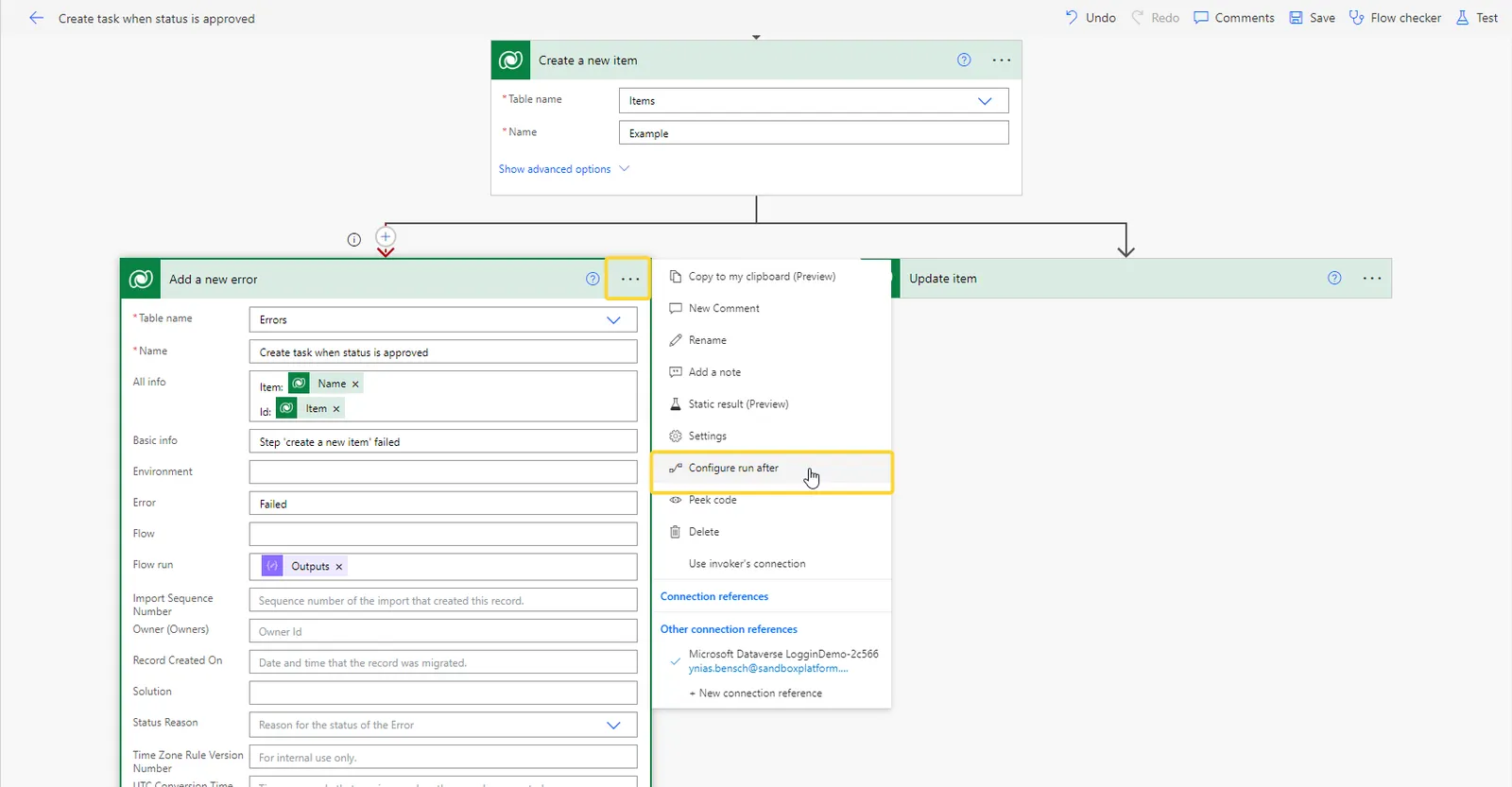
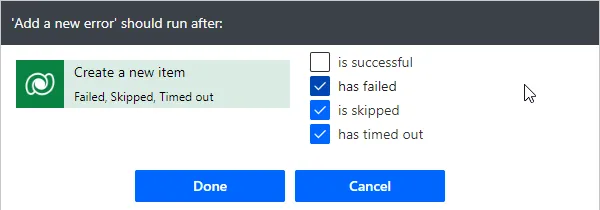
Examples that can be logged
- Name of the flow
- Which step failed
- Info about the triggered entity
- Which solution the flow is part of
- A link to the flow run
- Compose the following:

concat('https://flow.microsoft.com/manage/environments/', workflow()?['tags']['environmentName'], '/flows/', workflow()?['name'], '/runs/', workflow()?['run']['name'])Sending an appropriate message
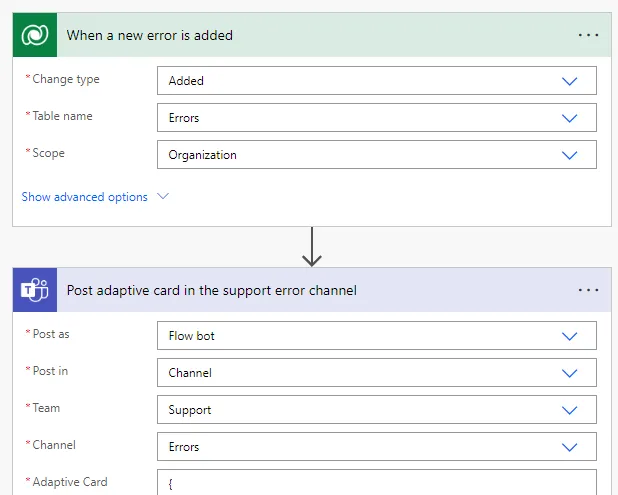
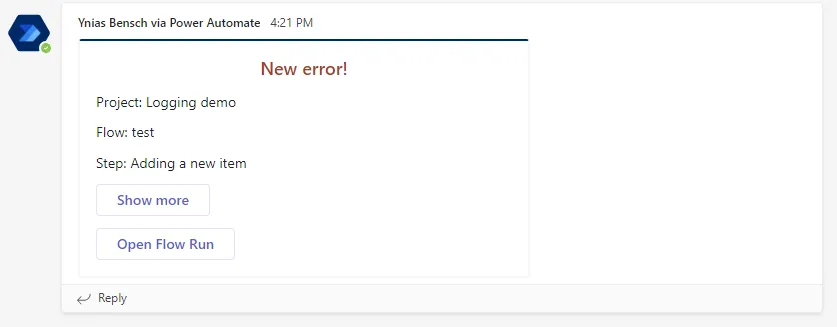
To get notifications of each new error, a flow can be created that, for example, posts an adaptive card in an appropriate channel. You can design adaptive cards in the Adaptive Cards Designer, which also includes samples.
Next Steps
Basic information to estimate the impact, a link to the flow run and a link to the logged error in a model-driven app that support works with is recommended. This model-driven app can also include:
- an option to turn an error into a case/ticket
- a dashboard with statistics on the errors, which in turn can be used for optimisation
- …