Automating Security Role Assignments in Power Platform with Power Automate
Assign Power Platform security roles automatically with Power Automate: list the roles from Dataverse and relate them to the right users.
Intro
Assigning the right security roles is key if you want to keep control over what users can (and can’t) do in your Power Platform environments. Instead of going through the interface and adding people one by one, I prefer to automate it. The trick is simple: pull in the available roles with a List rows on the Security Role table, and then use a Relate rows step to connect them directly to the right system users. It’s faster, less error-prone, and a lot easier to maintain when new colleagues join or when roles change.
Power Automate flow
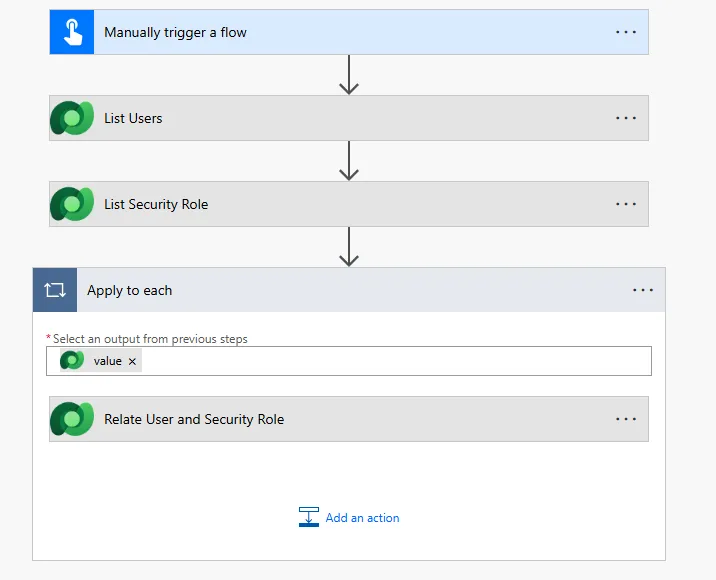
The setup is straightforward:
- The flow is manually triggered. (can also be a different trigger, depending on your use case)
- It pulls in a list of users.
- It pulls in the security role
- For each user, it uses a Relate rows step to connect them to the right role.
That’s it. Clean and easy. Instead of clicking through the UI over and over, you let Power Automate do the heavy lifting for you. It’s faster, consistent, and far less error-prone.
1. List users
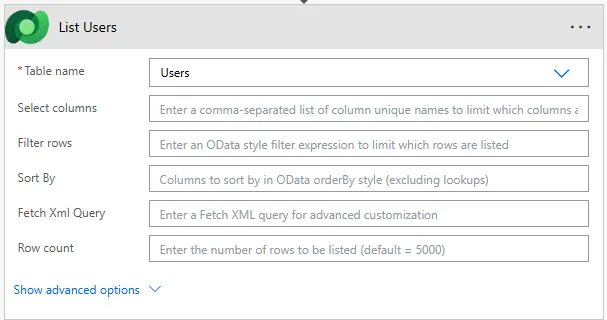
Fetch all the users you want to link with the security role, if needed with a filter. What you eventually need in the last step is the User ID of the SystemUser table.
2. List Security Role
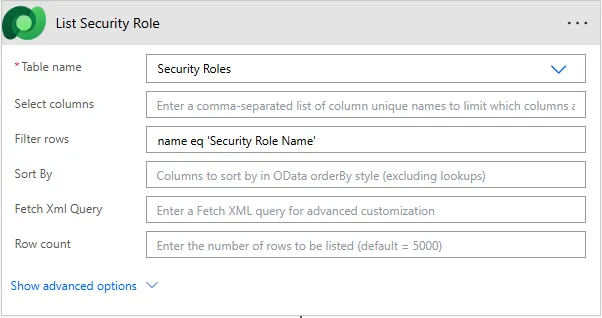
Fetch the security role you want to link to the Users. Filtering can be done on name for example.
3. Relate Users And Security Role
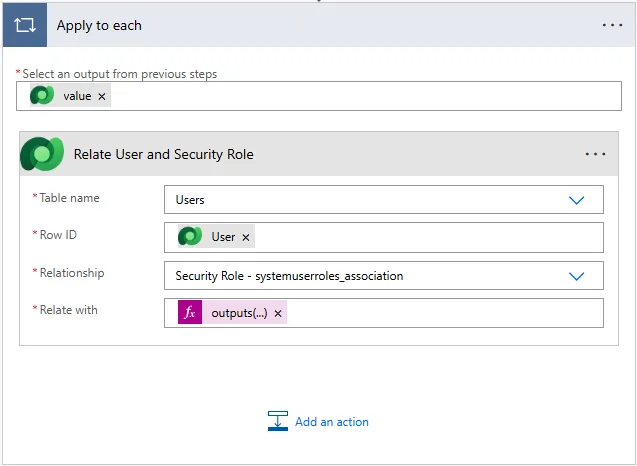
Step name: Relate rows
- Table name: Users
- Row ID: User (from the list rows)
- Relationship: Security role – systemuserroles_assocation
- Relate with: outputs(‘List_Security_Role’)?[‘body/value’][0]?[‘@odata.id’]
Published